Introduction
Automating your home was once a frustrating and costly hobby for die-hard technologists. It involved agonizing over the compatibility of your light bulbs with your thermostat, the capacity of your router, and why your voice assistant never quite understood what you wanted.
Welcome to 2026. A complete revolution has taken place in the industry, and building a smart home is now as simple as plugging in your toaster.
Universal adoption of the Matter smart home standard and integration with highly sophisticated, conversational AI assistants (such as Google Gemini, Apple Intelligence, and Alexa AI) mean all your smart devices can communicate without issues, regardless of the brand you select.
However, despite the multitude of devices available in the market, figuring out where to begin can still be overwhelming. You don’t have to convert your entire house to a smart home right away. With a minimal effort and some budget-friendly purchases, you can experience huge convenience, enhanced security, and improved energy efficiency. Here is your step-by-step guide on which smart home devices to buy first in 2026.
Smart Hub & Speaker Guide
Voice assistants allow you to control your home and automate routines such as “turn off all the lights at 11:00 PM.” You need a central control unit for this purpose, which is called your smart home ecosystem. You must pick only one of the “Big Three” below to get started.
Amazon Echo (5th Gen) or Echo Hub
Ideal For: Beginners or those who buy online.
Why It Rocks In 2026: Amazon has introduced generative AI to its voice assistant, meaning that you can give Alexa a casual instruction, such as “Alexa, it’s too cold and dark in here.” The AI will understand intuitively that you mean raising the temperature and switching on the lights in the living room. Echo Hub is also an excellent wall-mounted touchscreen console for controlling your entire house.
Google Nest Hub Max 2
Ideal For: Android users and those deeply integrated with Google Calendar and YouTube Music.
Why It Rocks In 2026: Gemini AI drives the Nest Hub, making it the smartest voice assistant in answering complex general questions. It has a vast screen ideal for displaying recipes in the kitchen or playing your video doorbell camera feed.
Apple HomePod Mini
Ideal For: Those who use iPhones and Macs, and strictly care about data privacy.
Why It Rocks In 2026: Apple mostly processes your voice requests locally on its smart hub device, rather than sending your audio data to its servers in the cloud. The Home app is exceptionally intuitive, extremely private, and seamlessly integrates with your Apple Watch and Apple TV.
Philips Hue Starter Kit Review
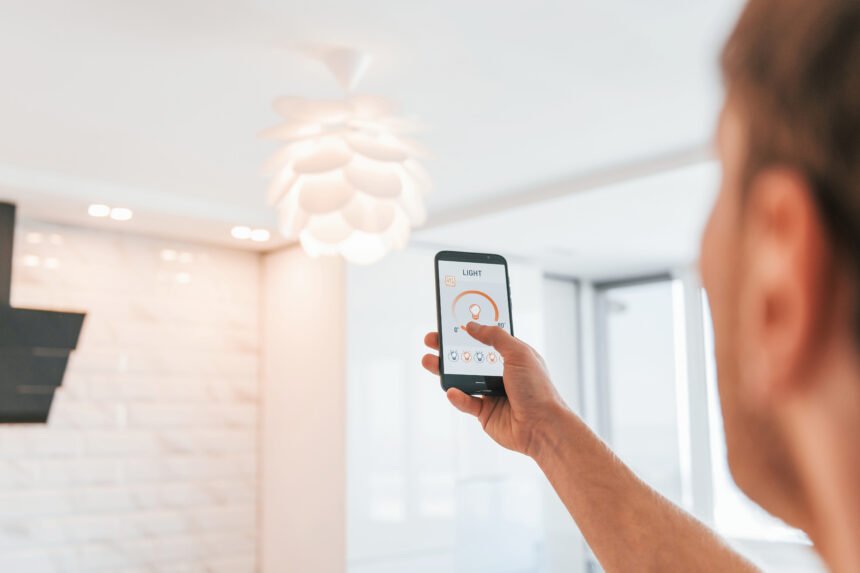
The most satisfying and immediate upgrade you can make to your smart home experience is to install smart lights. The ability to switch off all your downstairs lights remotely from the comfort of your bed feels futuristic. Although there are cheaper alternatives, Philips Hue continues to reign supreme as the king of smart lighting in 2026.
Key Features:
The Hue Bridge: Unlike competing brands, Philips does not connect to your Wi-Fi network; it uses a bridge instead. The bridge creates an independent network for your lights that never drops connection and responds instantly whenever you press a button.
Unsurpassed Color Accuracy: Cheaper alternatives sometimes cannot produce a proper white light or a vivid shade of blue, purple, or green. Hue bulbs support 16 million shades that look incredibly vibrant, allowing you to paint your room with light.
Entertainment Sync: You can link your Hue lights to your Spotify account or gaming PC monitor. Your lights will react to your music or video game, flashing, dimming, and changing colors.
Pros:
The most reliable lighting ecosystem.
Incredibly beautiful and intuitive mobile app with pre-installed scenes.
Wide variety of indoor, outdoor, and decorative fixtures.
Cons:
Way more expensive than competing brands.
TP-Link Tapo Smart Plug Review
What if you own a dumb device—a box fan, a holiday string of lights, or a slow-drip coffee maker—and would like to automate its controls? You do not have to throw it away. All you need is a smart plug.
Smart plugs are tiny adapters that plug into your standard wall outlets. You insert your appliance into the adapter. You can now cut or provide power to the outlet via an app or your voice assistant.
Why TP-Link Tapo Is the Best Starter Pick?
Matter Certified: They take precisely 30 seconds to set up by scanning the QR code with your iPhone or Android.
Energy Monitoring: They continuously monitor electricity consumption, helping you identify devices responsible for raising your power bill.
Ultra Compact Design: They fit in a standard wall outlet without blocking the adjacent socket.
Creative Uses for Beginners:
Hair Straighteners: Plug in your hair straightener into a smart plug. If you realize you forgot to turn it off before leaving the house, you can remotely disconnect the power outlet using your smartphone.
Coffee Makers: Set the plug to activate at 6:30 AM daily. You wake up to the smell of fresh coffee brewing in the pot.
Google Nest Thermostat Review
A smart thermostat is a tech investment that literally pays for itself. By optimizing your HVAC energy consumption, it saves you up to 15% per year on your power bill. Google Nest Learning Thermostat is a revolutionary product.
Key Features:
The Domed Crystal Design: Its new crystal design makes it look like a luxury jewel on your wall. The massive, edgeless glass display blends seamlessly with any decoration.
Proactive AI Learning: You do not need to configure a rigid schedule. For the first week, you merely adjust the dial whenever you feel chilly or switch it off before leaving the house. Its integrated AI learns your habits and sets up an energy-efficient schedule accordingly.
Smart Geofencing: It automatically switches into “Eco mode” the moment you leave your house (based on your phone’s location). It turns your heater back on when you get within a mile range.
Pros:
Saves you enough money to pay for itself in 12 to 18 months.
Futuristic design with massive glass display.
Includes remote room sensors to detect temperature fluctuations throughout your house.
Cons:
Requires a “C-Wire” (common wire) for constant power supply. Very old houses might lack this feature.
Smart Home Buying Guide
Here are three golden rules for building your dream smart home to minimize potential pitfalls:
Check Your Wi-Fi Router First: Every smart device relies on your home network. If your router is six years old and was provided by your internet service provider, you will face significant connectivity issues. You should invest in a modern Mesh Wi-Fi 6E or Wi-Fi 7 system (such as Eero or TP-Link Deco) to ensure a strong connection throughout your house.
Start Small (One Room at a Time): You do not have to buy 30 smart bulbs and five cameras in one day. Start by upgrading your living room or bedroom first. Once you become comfortable with the app and voice assistant, gradually expand to the entire house.
Always Keep Physical Controls: Technology inevitably fails. Wi-Fi routers reboot, and internet outages occur. Never install a smart lightbulb in a room where you cannot manually turn on the light switch. Likewise, ensure your smart lock still accepts a physical key.
Conclusion
Creating a smart home in 2026 is no longer an engineering feat. Instead, it is an extremely convenient and rewarding venture.
By embracing the universal Matter standard, you ensure that your investments are future-proof and universally compatible. Start by choosing your preferred voice assistant, buy a Philips Hue starter pack for your living room, and grab a few TP-Link smart plugs to automate your coffee machine. Soon, you will create an efficient, intelligent environment that works quietly in the background, easing your daily routine.