By using this site, you agree to the Privacy Policy and Terms of Use.
Accept
newtechzones.comnewtechzones.comnewtechzones.com
  • Home
  • Tech News
  • Gadget Reviews
  • Smartphone
  • Computer & Laptop
  • Buying Guide
Reading: All in One Computers: Combining Performance and Simplicity in Modern Desktops
Share
Font ResizerAa
Font ResizerAa
newtechzones.comnewtechzones.com
Search
  • Home
  • Tech News
  • Gadget Reviews
  • Computer & Laptop
  • Buying Guide
  • Smartphone
© 2026 NewTechZones.com. All Rights Reserved.
Computer & Laptop

All in One Computers: Combining Performance and Simplicity in Modern Desktops

admin
Last updated: March 17, 2026 5:43 pm
admin
Share
SHARE

Introduction

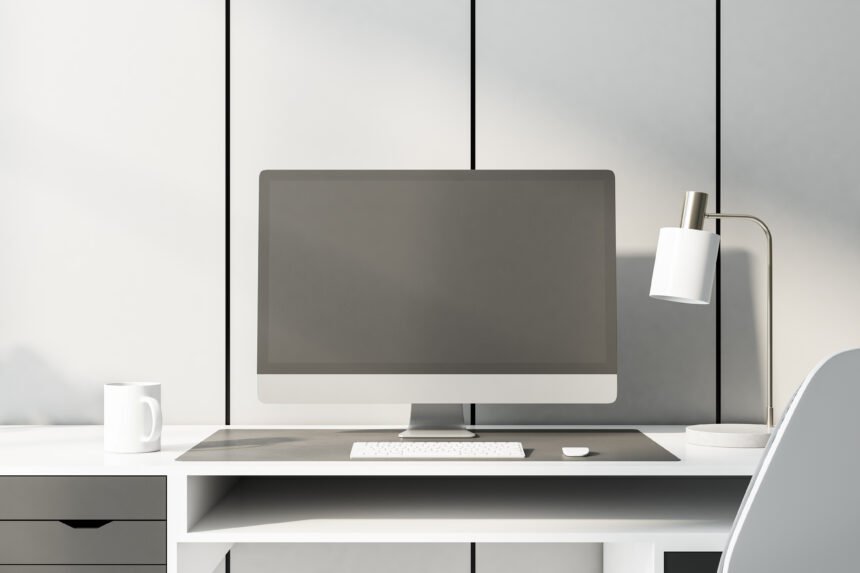
Desktop computers have traditionally consisted of separate components such as a monitor, keyboard, and a large computer tower. However, modern technology has introduced a different type of desktop system known as the all in one computer. These devices combine the computer hardware and display into a single integrated unit.

Contents
  • Introduction
  • Cleaner Workspace Design
  • Easy Setup for Home and Office Use
  • Large Displays Improve Productivity
  • Balanced Everyday Performance
  • Popular Choice for Families and Offices
  • Conclusion

All in one computers are designed to provide the functionality of a desktop system while maintaining a clean and compact workspace. With fewer cables and a simplified setup process, these computers have become popular among home users, offices, and educational environments. Their combination of convenience and performance makes them attractive options for users who want powerful computing without complicated hardware arrangements.

Cleaner Workspace Design

One of the biggest advantages of all in one computers is their compact design. Because the computer components are built directly into the monitor, there is no need for a separate desktop tower.

This integrated design reduces cable clutter and creates a more organized workspace. Users can enjoy a simple setup with fewer hardware components taking up space on their desks.

Easy Setup for Home and Office Use

All in one computers are also known for their simple installation process. Setting up the device typically involves connecting a power cable, keyboard, and mouse.

This simplicity makes all in one systems ideal for users who prefer straightforward technology without complicated hardware configurations. Many offices and classrooms choose all in one computers because they are quick to install and easy to maintain.

Large Displays Improve Productivity

Because the entire system is built around the monitor, many all in one computers include large high resolution displays. Larger screens allow users to work comfortably with multiple windows, documents, or applications at the same time.

This feature is particularly useful for tasks such as document editing, graphic design, and media consumption. A spacious display improves productivity and enhances the overall user experience.

Balanced Everyday Performance

While all in one computers may not always match the raw performance of high end desktop towers, they are still capable of handling most everyday computing tasks.

Modern all in one systems include powerful processors, fast storage drives, and sufficient memory for tasks such as web browsing, office applications, video streaming, and basic creative work. For many users, these systems provide more than enough performance.

Popular Choice for Families and Offices

All in one computers are often used in homes where families share a single computer for general tasks. Their simplicity and space saving design make them ideal for shared environments.

Offices also use these computers because they reduce desk clutter and create organized workstations. With fewer cables and components, maintaining these systems is easier for IT teams.

Conclusion

All in one computers offer a modern approach to desktop computing by combining performance and simplicity in a single device. Their compact design, easy setup, and large displays make them attractive options for home users, offices, and educational institutions.

While they may not replace high performance desktop systems used by professionals, all in one computers provide reliable computing power for everyday tasks. As technology continues evolving, these integrated systems will likely become even more capable and widely adopted.


Best Gaming Laptops Under $1,500 in 2026: Top 5 Picks Tested and Ranked
Best Desktop Computers for Creative Professionals in 2026: Ranked and Reviewed
Lenovo ThinkPad X1 Carbon Gen 13 Review: The Business Laptop Perfected
Ultrabooks: Why Thin and Lightweight Laptops Are Becoming the Preferred Choice
Smartwatch Review: Can a Smartwatch Replace Your Smartphone for Daily Tasks?
TAGGED:all in one computercomputer newscomputer technologydesktop pc

Sign Up For Daily Newsletter

Be keep up! Get the latest breaking news delivered straight to your inbox.

    By signing up, you agree to our Terms of Use and acknowledge the data practices in our Privacy Policy. You may unsubscribe at any time.
    Share
    Previous Article Why Business Laptops Are Designed Differently from Regular Consumer Laptops
    Next Article Wireless Earbuds Review: Are They Really Worth Buying in 2026?
    Leave a Comment

    Leave a Reply Cancel reply

    Your email address will not be published. Required fields are marked *

    Stay Connected

    FacebookLike
    XFollow
    PinterestPin
    InstagramFollow
    
							banner							
							banner
    Share Your Tech Knowledge With the World
    Become a contributor at NewTechZones and share your knowledge with a global tech audience. Submit your blog about gadgets, AI, smartphones, software, and emerging technologies, and get your work published on our platform.
    Contact Us

    Latest News

    Gaming Mouse Buying Guide: Important Features Gamers Should Consider
    Buying Guide
    Bluetooth Speaker Buying Guide: How to Choose the Best Portable Speaker
    Buying Guide
    Portable Power Bank Buying Guide: How to Choose the Right Power Bank for Your Devices
    Buying Guide
    Wireless Earbuds Buying Guide: How to Choose the Best True Wireless Earbuds
    Buying Guide
    Smart TV Buying Guide: How to Choose the Perfect Television for Your Home
    Buying Guide

    You Might also Like

    Computer & Laptop

    Best Monitors for Your Home Office in 2026: Top Picks for Every Budget

    admin
    admin
    9 Min Read
    Computer & Laptop

    Why Desktop Computers Still Remain Powerful Tools for High Performance Computing

    admin
    admin
    4 Min Read
    Computer & Laptop

    Best Laptops for Students in 2026: From Budget Picks to Premium Powerhouses

    admin
    admin
    9 Min Read

    NewTechZones shares the latest news, guides, and insights on software, gadgets, AI, and emerging technology.

    Facebook X-twitter Pinterest Instagram

    Quick Link

    • Home
    • Contact
    • Disclaimer
    • Privacy Policy
    • Terms & Conditions

    Category

    • Tech News
    • Gadget Reviews
    • Smartphone
    • Computer & Laptop
    • Buying Guide

    Subscribe to Our Newsletter

      © 2026 NewTechZones.com. All Rights Reserved.

      About

      //

      NewTechZones is a technology platform sharing the latest news, guides, and insights on software, gadgets, artificial intelligence, and emerging digital innovations.

      Quick Link

      • Home
      • Contact
      • Disclaimer
      • Terms & Conditions

      Category

      • Gadget Reviews
      • Tech News
      • Computer & Laptop
      • Smartphone
      • Buying Guide

      Sign Up for Our Newsletter

        newtechzones.comnewtechzones.com
        Follow US
        © 2026 NewTechZones.com. All Rights Reserved.
        Join Us!
        Subscribe to our newsletter and never miss our latest news, podcasts etc..

          Welcome Back!

          Sign in to your account

          Username or Email Address
          Password

          Lost your password?