Introduction
If you are setting up a home office, a gaming den, or a family workstation in 2026, you are faced with a fascinating dilemma. For decades, buying a desktop computer meant making peace with a massive, heavy metal box sitting on your floor or dominating your desk space. It was the accepted price you had to pay for performance.
Not anymore. The computing landscape has experienced a radical miniaturization revolution.
Today, a computer the size of a hardcover book (or even a stack of coasters) can effortlessly edit 4K video, run local artificial intelligence models, and handle intense multitasking. These “Mini PCs” are challenging the very existence of the traditional Desktop Tower. But before you throw your massive PC case in the recycling bin, you must understand that the laws of physics and thermal dynamics still apply.
Are you a minimalist who just wants a clean desk, or a power user who refuses to compromise on maximum frame rates? In this comprehensive guide, we pit the modern Mini PC against the classic Desktop Tower to help you decide which is the ultimate choice for your home in 2026.
2026 Mini PC Trend
A Mini PC is exactly what it sounds like: a fully functional desktop computer crammed into an incredibly small chassis. Apple pioneered this mainstream push with the Mac Mini and Mac Studio, but in 2026, the Windows ecosystem has fiercely caught up with micro-machines powered by Intel’s Core Ultra and AMD’s Ryzen AI processors.
Why Mini PCs Are Taking Over
The primary appeal of a Mini PC is its footprint. Devices like the Apple Mac Mini M4 or the Beelink SER9 are so small they can be VESA-mounted directly to the back of your computer monitor, effectively turning any screen into an all-in-one iMac-style setup with zero visible cables.
The Advantages of Mini PCs:
- Space-Saving Minimalism: They free up massive amounts of physical desk space, creating a clean, aesthetic, and distraction-free work environment.
- Power Efficiency: Mini PCs generally use “mobile-class” processors (the same incredibly efficient chips found in premium laptops). They draw significantly less electricity, saving you money on your power bill and keeping your home office cooler in the summer.
- Whisper Quiet: Because they use highly efficient chips, they require much smaller fans. Under normal web browsing or office work, a modern Mini PC is completely silent.
- Portability: If you split your time between two offices (or frequently travel), you can simply unplug a 2-pound Mini PC, throw it in your backpack, and plug it into a monitor at your next destination.
Desktop Tower Advantages
The traditional Desktop Tower (often referred to as an ATX build) is the exact opposite of a Mini PC. It is large, it is heavy, and it is entirely unapologetic about it. While it lacks elegance and portability, it offers something a Mini PC physically cannot: absolute, unrestricted freedom.
Why Towers Will Never Die
Desktop towers are built using standardized, interchangeable parts. The motherboard, the power supply, the RAM, and the massive graphics card can all be removed and replaced independently.
The Advantages of Desktop Towers:
- Unrestricted Upgradability: If your computer feels slow in four years, you do not have to throw it away. You can simply buy a new graphics card or add more RAM, extending the life of the machine indefinitely.
- Maximum Raw Power: Desktop processors and graphics cards draw hundreds of watts of power. An Nvidia RTX 5080 desktop graphics card is physically larger than an entire Mini PC. Because they are not restricted by battery life or tiny power supplies, towers deliver the absolute pinnacle of computing performance.
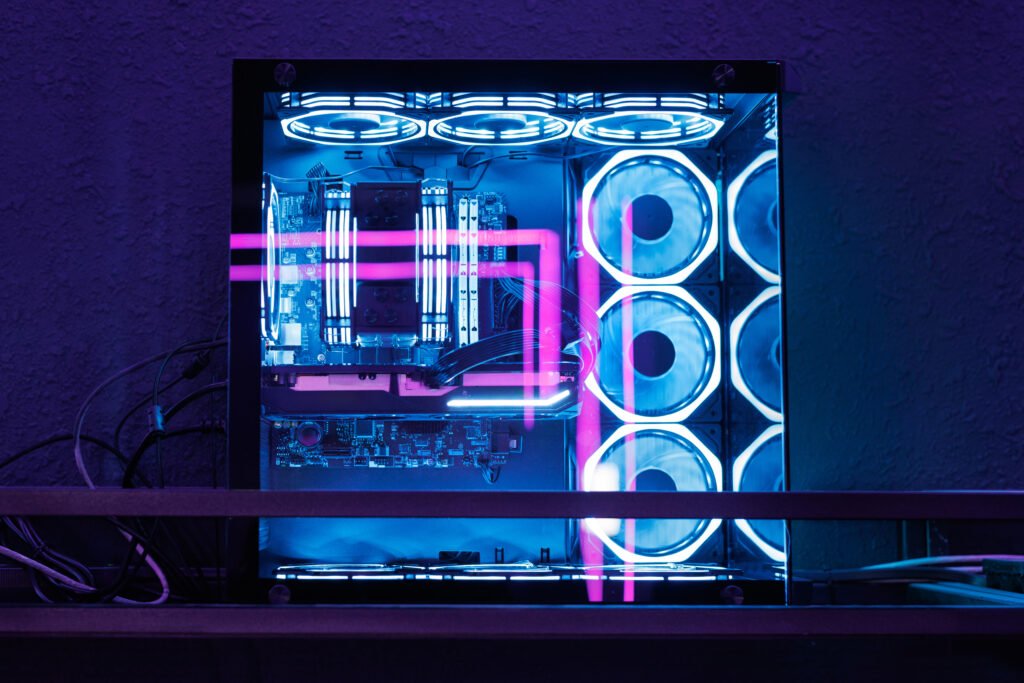
- Superior Cooling: Heat is the enemy of electronics. A massive tower features huge 140mm intake fans, AIO liquid coolers, and massive heatsinks. This allows the computer to run at maximum speed for hours on end without thermal throttling.
- Storage Expansion: If you are a video editor or a data hoarder, a desktop tower allows you to physically plug in four, five, or even six massive internal hard drives. A Mini PC usually only has room for one.
Head-to-Head: Performance and Gaming
When comparing these two form factors, you have to look at what you actually intend to do with the machine on a daily basis.
Everyday Tasks and Office Work
If your home computer is used for Microsoft Excel, browsing the web, attending Zoom meetings, managing emails, and watching 4K YouTube videos, it is a dead tie. A $500 Mini PC will handle these tasks exactly as fast and smoothly as a $3,000 Desktop Tower. Spending more money on a massive tower for basic office work is a complete waste of funds in 2026.
Creative Work (Photo and Video Editing)
The gap begins to widen here, but Mini PCs hold their own surprisingly well. An Apple Mac Studio (which is technically a slightly taller Mini PC) can scrub through 8K video timelines flawlessly thanks to its dedicated media engines. However, if you are doing intense 3D rendering in Blender, Unreal Engine 5, or Cinema4D, the massive dedicated VRAM of a Desktop Tower’s graphics card will complete the renders significantly faster.
PC Gaming
The Desktop Tower wins flawlessly. While some high-end Mini PCs feature capable integrated graphics that can play Minecraft, The Sims, or competitive shooters like Valorant at 1080p, they absolutely choke on modern AAA games.
If you want to play Cyberpunk 2077, Microsoft Flight Simulator, or Black Myth: Wukong at 4K resolution with Ray Tracing enabled, you physically need a massive, dedicated NVIDIA or AMD graphics card. The only way to get this performance on a Mini PC is to buy an external GPU (eGPU) enclosure, which is incredibly expensive, bulky, and defeats the entire purpose of having a “mini” setup.
Connectivity and Ports
In a home office, you often need to plug in a ridiculous amount of peripherals: a mechanical keyboard, a wireless mouse receiver, a webcam, a microphone, dual monitors, and external hard drives.
- Mini PCs: Because of their tiny physical size, port selection is limited. You will usually find two or three USB-C (Thunderbolt 5) ports, a couple of standard USB-A ports, and an HDMI output. If you have a complex desk setup, you will absolutely need to purchase an external USB hub or a Thunderbolt docking station to plug everything in.
- Desktop Towers: A standard ATX desktop motherboard features an ocean of connectivity. You will regularly find up to 10 USB ports on the back, dedicated high-fidelity audio jacks, 10-Gigabit Ethernet ports, and up to four display outputs directly on the graphics card. No dongles or hubs are required.
Conclusion
The 2026 computer market is a fantastic place for consumers because there is no longer a “wrong” choice-only the choice that fits your specific lifestyle.
If you view a computer as a household appliance that should sit quietly out of sight and handle your daily tasks without fuss, the modern Mini PC is a technological marvel that will save you money and space. However, if you view computing as a hobby, a passion, or a hardcore profession that demands maximum brute force, the colossal Desktop Tower remains the undisputed king of the home office.