By using this site, you agree to the Privacy Policy and Terms of Use.
Accept
newtechzones.comnewtechzones.comnewtechzones.com
  • Home
  • Tech News
  • Gadget Reviews
  • Smartphone
  • Computer & Laptop
  • Buying Guide
Reading: Workstation Computers: The Backbone of Professional Digital Work
Share
Font ResizerAa
Font ResizerAa
newtechzones.comnewtechzones.com
Search
  • Home
  • Tech News
  • Gadget Reviews
  • Computer & Laptop
  • Buying Guide
  • Smartphone
© 2026 NewTechZones.com. All Rights Reserved.
Computer & Laptop

Workstation Computers: The Backbone of Professional Digital Work

admin
Last updated: March 13, 2026 11:23 am
admin
Share
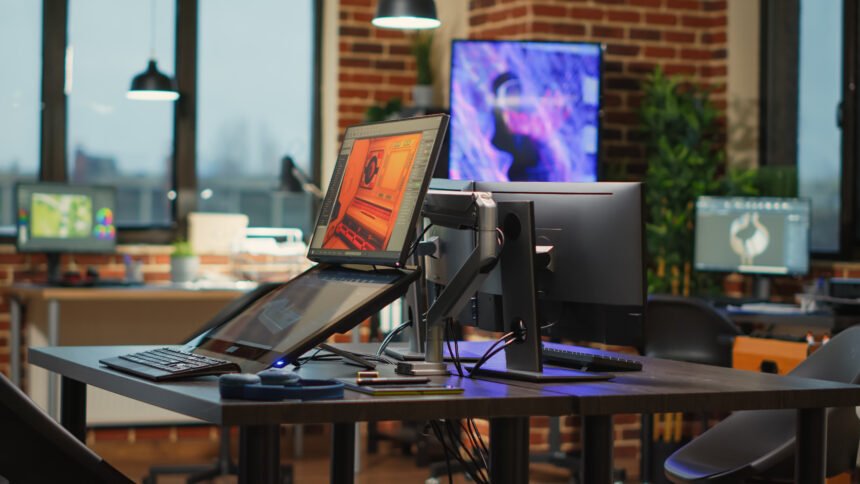
Empty creative agency studio filled with workstations to create content for modern production, running professional softwares. Programming technical prototype or developing game.
SHARE

Introduction

While many people use computers for everyday activities such as browsing the internet or streaming videos, some professionals require far more powerful systems to complete their work. Workstation computers are specialized desktop machines designed to handle complex tasks that demand significant computing power.

Contents
  • Introduction
  • Powerful Processors for Heavy Workloads
  • Large Memory Capacity for Complex Projects
  • Professional Graphics Hardware
  • Reliable Performance for Critical Work
  • Supporting Creative and Technical Industries
  • Conclusion

Industries such as engineering, architecture, film production, scientific research, and 3D design rely heavily on workstation computers. These machines are built with powerful processors, large amounts of memory, and advanced graphics hardware to support demanding applications. Because of their strong performance capabilities, workstation computers play a critical role in many professional fields.

Powerful Processors for Heavy Workloads

Workstation computers are designed to handle intensive computing tasks that standard consumer PCs may struggle with. These systems often include high performance processors capable of managing complex calculations.

Professionals working with large data sets, simulations, or video rendering rely on powerful CPUs to ensure projects are processed efficiently. Strong processing power allows workstation computers to complete demanding tasks more quickly.

Large Memory Capacity for Complex Projects

Another defining feature of workstation computers is their ability to support large amounts of memory. Complex applications such as 3D modeling software, video editing programs, and engineering tools require significant memory resources.

Workstation systems often include far more memory than standard computers, allowing them to run multiple demanding applications simultaneously without slowing down.

Professional Graphics Hardware

Graphics processing units used in workstation computers are designed specifically for professional workloads. These GPUs provide high precision performance for applications such as animation, scientific visualization, and computer aided design.

Unlike gaming graphics cards, workstation GPUs focus on stability and accuracy. This ensures professionals can work with detailed models and high resolution visual content without encountering system errors.

Reliable Performance for Critical Work

Workstation computers are built with reliability in mind. Many professional projects require long processing sessions where systems must remain stable for extended periods.

Manufacturers design workstation components to maintain consistent performance during heavy workloads. This reliability is essential for professionals who depend on their computers to complete important projects.

Supporting Creative and Technical Industries

Workstation computers are widely used across creative and technical industries. Video editors rely on them to process large video files, while engineers use them for simulations and product design.

Architects and designers depend on workstation systems to create detailed visual models and render complex structures. These powerful computers allow professionals to bring their ideas to life through advanced digital tools.

Conclusion

Workstation computers represent the highest level of performance in personal computing. With powerful processors, large memory capacity, professional graphics hardware, and reliable system stability, these machines are essential for demanding professional environments.

Although not every user requires this level of computing power, workstation computers remain vital tools for industries that depend on advanced digital processing. As technology continues evolving, workstation systems will remain the backbone of professional computing.


Best Gaming Laptops Under $1,500 in 2026: Top 5 Picks Tested and Ranked
Why Business Laptops Are Designed Differently from Regular Consumer Laptops
Gaming Laptops: How Portable Machines Are Delivering Desktop Level Performance
Best Monitors for Your Home Office in 2026: Top Picks for Every Budget
Why Modern Laptops Are Replacing Desktop Computers for Everyday Work and Productivity
TAGGED:computer newsdesktop workstationprofessional computingworkstation computer

Sign Up For Daily Newsletter

Be keep up! Get the latest breaking news delivered straight to your inbox.

    By signing up, you agree to our Terms of Use and acknowledge the data practices in our Privacy Policy. You may unsubscribe at any time.
    Share
    Previous Article Ultrabooks: Why Thin and Lightweight Laptops Are Becoming the Preferred Choice
    Next Article Why Business Laptops Are Designed Differently from Regular Consumer Laptops
    Leave a Comment

    Leave a Reply Cancel reply

    Your email address will not be published. Required fields are marked *

    Stay Connected

    FacebookLike
    XFollow
    PinterestPin
    InstagramFollow
    
							banner							
							banner
    Share Your Tech Knowledge With the World
    Become a contributor at NewTechZones and share your knowledge with a global tech audience. Submit your blog about gadgets, AI, smartphones, software, and emerging technologies, and get your work published on our platform.
    Contact Us

    Latest News

    Gaming Mouse Buying Guide: Important Features Gamers Should Consider
    Buying Guide
    Bluetooth Speaker Buying Guide: How to Choose the Best Portable Speaker
    Buying Guide
    Portable Power Bank Buying Guide: How to Choose the Right Power Bank for Your Devices
    Buying Guide
    Wireless Earbuds Buying Guide: How to Choose the Best True Wireless Earbuds
    Buying Guide
    Smart TV Buying Guide: How to Choose the Perfect Television for Your Home
    Buying Guide

    You Might also Like

    Computer & Laptop

    Mini PC vs Desktop Tower: Which Is the Right Choice for Your Home in 2026?

    admin
    admin
    9 Min Read
    Computer & Laptop

    ARM vs x86 Laptops in 2026: Which Architecture Should You Choose?

    admin
    admin
    8 Min Read
    Computer & Laptop

    All in One Computers: Combining Performance and Simplicity in Modern Desktops

    admin
    admin
    4 Min Read

    NewTechZones shares the latest news, guides, and insights on software, gadgets, AI, and emerging technology.

    Facebook X-twitter Pinterest Instagram

    Quick Link

    • Home
    • Contact
    • Disclaimer
    • Privacy Policy
    • Terms & Conditions

    Category

    • Tech News
    • Gadget Reviews
    • Smartphone
    • Computer & Laptop
    • Buying Guide

    Subscribe to Our Newsletter

      © 2026 NewTechZones.com. All Rights Reserved.

      About

      //

      NewTechZones is a technology platform sharing the latest news, guides, and insights on software, gadgets, artificial intelligence, and emerging digital innovations.

      Quick Link

      • Home
      • Contact
      • Disclaimer
      • Terms & Conditions

      Category

      • Gadget Reviews
      • Tech News
      • Computer & Laptop
      • Smartphone
      • Buying Guide

      Sign Up for Our Newsletter

        newtechzones.comnewtechzones.com
        Follow US
        © 2026 NewTechZones.com. All Rights Reserved.
        Join Us!
        Subscribe to our newsletter and never miss our latest news, podcasts etc..

          Welcome Back!

          Sign in to your account

          Username or Email Address
          Password

          Lost your password?