Introduction
Our smartphones are pocket supercomputers in 2026. They have extremely bright 3,000-nit displays, powerful artificial intelligence chips that are able to compute billions of commands within a second, and fast 5G modems providing gigabits per second downloads. Even though manufacturers provide us with incredible battery technologies such as Silicon-Carbon batteries with extremely high density of storage, there is one thing called ‘battery anxiety’ that exists nowadays and makes people worry about their phones running out of energy.
There is nothing more disappointing than seeing 15% remaining battery in your iPhone 17 Pro Max/Samsung Galaxy S26 Ultra/Mid-range Phone on Friday at 3 o’clock in the afternoon, especially if you have no charger nearby. Depending on the type of phone that you use, whether it is the newest flagship or mid-range device, your habits and software settings directly affect how long your battery lasts.
If you are tired of being attached to the wall, here are 10 proven and effective tips that will help your phone save a lot more battery power in 2026.
Tame the High Refresh Rates
Nowadays, flagship and mid-range models of smartphones have very fluid display refresh rates of 120Hz or 144Hz. It means that your screen is capable of showing up to 144 images per second, which provides an impressive and silky-smooth user experience when you scroll down the page or play games. Such refresh rates consume a lot of energy from your phone’s batteries.
The Fix: You do not need to turn off your high refresh rates entirely, but you must make sure that your phone is set to Adaptive/Dynamic Refresh Rate. This mode allows the LTPO display to drop its refresh rate to a battery-saving 1Hz when your phone is displaying the static image and increases it to 120Hz when you move or tap on the screen.
Adopt the Dark Mode (if you have OLED)
Almost all new smartphones have OLED or AMOLED displays now. The core feature of OLED screen technology is that each pixel in it emits light individually.
The Fix: Enable Dark Mode in all the settings of your phone’s operating system. When the OLED screen shows a black color, it actually switches off the pixel to save energy. It draws zero power. Using Dark Mode when you are in Instagram, X(Twitter), and read your articles and messages may allow your smartphone’s battery to last about 1 to 2 hours extra during a day.
Save Battery Power with 5G
Modern smartphones have incredibly bright screens that sometimes reach 3,000 to 4,500 nits. If you increase the brightness bar to 100% manually and leave it as it is, your battery will die soon no matter what its capacity is.
The Fix: Always keep the Auto-Brightness feature turned on. It will enable your phone’s camera to switch on the ambient light sensor, which measures the intensity of surrounding light and changes the brightness automatically. It will increase it to the highest levels in case you get outside, but if you enter a dark room, the ambient light sensor will slowly lower the screen’s brightness.
Turn Off the Always-On Display Wallpapers
Always-On Display(AOD) is very convenient for looking at notifications or checking the time without even touching the phone. But nowadays, both Apple and Android smartphones allow users to set colorful wallpapers on AODs.
The Fix: Although AOD refresh rates are low(about 1Hz), keeping pixels illuminated takes away around 1 to 1.5 percent of your battery each hour. Switch to your AOD settings and disable the Show Wallpaper option. Your AOD must be in pure black mode with simple white notifications and clock displayed.
The 20%-80% Long-term Health Rule
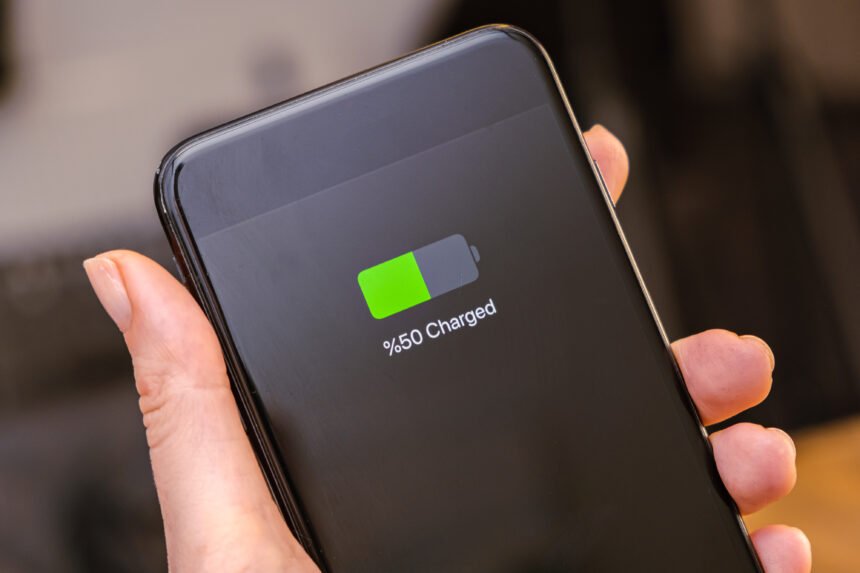
Lastly, it is crucial to understand that the amount of battery left today does not influence the battery’s life expectancy after two years. Lithium-ion and Silicon-Carbon batteries deteriorate quicker if they are charged to their maximum level and then discharged quickly.
The Fix: In order to prevent your battery from deteriorating permanently, it is important to try to keep your charge between 20 and 80%. Deterioration of the cell happens in case you let your smartphone battery die to 0%. Luckily, most of modern devices automatically stop charging once it reaches 80 percent. In case you plan on having your phone for 4 or 5 years, the best thing you can do to your battery’s longevity is to enable that option.
Conclusion
In conclusion, prolonging your battery’s lifespan in 2026 is possible and does not involve turning your expensive supercomputer into a brick. All you need to do is adjust your settings in advance and avoid such habits as leaving your wallpaper turned on in the Always-On Display mode. Modern technology is quite advanced, so let your phone take care of your smartphone itself.