By using this site, you agree to the Privacy Policy and Terms of Use.
Accept
newtechzones.comnewtechzones.comnewtechzones.com
  • Home
  • Tech News
  • Gadget Reviews
  • Smartphone
  • Computer & Laptop
  • Buying Guide
Reading: Google Nest Thermostat Pro Review: The Smartest Home Climate Control Yet
Share
Font ResizerAa
Font ResizerAa
newtechzones.comnewtechzones.com
Search
  • Home
  • Tech News
  • Gadget Reviews
  • Computer & Laptop
  • Buying Guide
  • Smartphone
© 2026 NewTechZones.com. All Rights Reserved.
Gadget Reviews

Google Nest Thermostat Pro Review: The Smartest Home Climate Control Yet

admin
Last updated: March 12, 2026 11:44 am
admin
Share
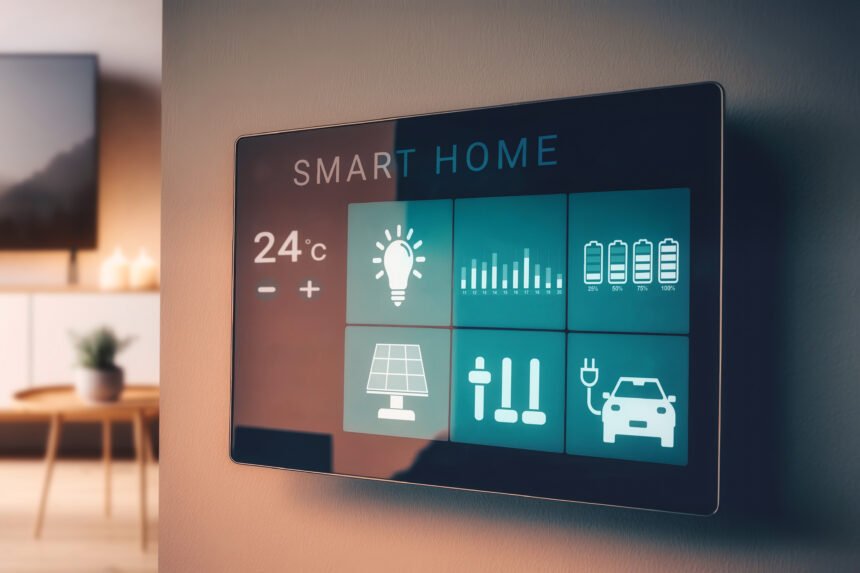
smart screen with smart home with modern living room
SHARE

Introduction

Google’s Nest Thermostat Pro integrates Gemini AI for predictive home climate management, promising to learn household patterns faster, integrate with grid energy pricing, and coordinate across multiple smart home devices. After two months of testing in a three-bedroom home in a climate with distinct winter and summer seasons, here’s what we found.

Contents
  • Introduction
  • Gemini AI Integration
  • Energy Savings and Grid-Aware Scheduling
  • Multi-Room Control, Integration, and Design
  • Conclusion

Smart thermostats have been in homes for over a decade, and the original Nest Learning Thermostat proved the category could deliver real energy savings while being easier to use than programmable alternatives. But those early devices were reactive -they learned your patterns after you established them manually. The Nest Thermostat Pro takes a genuinely different approach: predictive scheduling driven by Gemini AI that knows your calendar, your location, and the weather forecast.

Gemini AI Integration

Instead of learning purely from temperature adjustments, the Pro model learns from your Google Calendar, location data, and weather forecasts to build a predictive schedule rather than a reactive one. In two months of testing, the predictive scheduling required significantly less manual correction than any thermostat I’ve previously tested -correctly pre-heating before work-from-home days, skipping heating during travel, and adjusting evening schedules when calendar events suggested late returns.

The integration with Google Calendar requires explicit permission and operates through the Google Home app with clear privacy controls -a toggle disables calendar integration while maintaining all other features. Voice control through Google Assistant allows natural language schedule adjustments with correct handling of one-off overrides versus permanent schedule changes.

Energy Savings and Grid-Aware Scheduling

In two months of testing during a Chicago winter, our gas bill was 18% lower than the same period the previous year. The new ‘Grid-Aware Scheduling’ feature adjusts heating and cooling to favor times when the electricity grid runs on higher renewable percentage or when rates are lower in time-of-use pricing plans -particularly valuable for homes with heat pumps in states like California, Illinois, and New York with TOU electric plans.

Homes with heat pumps benefit most from Grid-Aware Scheduling. Gas furnace optimization is more constrained because preheating a home for later savings requires significant thermal mass and accurate weather prediction.

Multi-Room Control, Integration, and Design

The Nest Pro works with Nest Temperature Sensors ($39 each) to enable room-by-room priority scheduling through a single-zone HVAC system based on where you are. Matter support ensures compatibility with Google Home, Apple Home, Amazon Alexa, and Samsung SmartThings -a genuine improvement over earlier Nest thermostats that didn’t integrate with Apple HomeKit without workarounds.

Integration with smart blinds (IKEA Fyrtur, Lutron Serena) allows the thermostat to coordinate blind position for passive solar heating in winter and solar gain blocking in summer. The 2.08-inch display shows current temperature, setpoint, and schedule visualization. Installation takes under 30 minutes with basic wire labeling knowledge, and the included Power Connector addresses C-wire requirements in most systems.

Conclusion

Nest Thermostat Pro is the best smart thermostat you can buy if you’re in the Google ecosystem, and compelling even if you’re not. The Gemini AI predictions genuinely reduce the need for manual scheduling, and the energy savings are real. At $279, the payback period is measured in months for most homeowners -making the Nest Thermostat Pro one of the clearest value propositions in the smart home category.

Smartwatch Review: Can a Smartwatch Replace Your Smartphone for Daily Tasks?
Bosch Flex Induction AI Cooktop Review: The Kitchen Gets Smarter
Portable Projector Review: Bringing Big Screen Entertainment Anywhere
Portable Power Bank Review: A Must Have Gadget for Smartphone Users
Apple Watch Series 11 Review: Health Monitoring Taken to a New Level
TAGGED:Energy SavingGoogle NestSmart HomeThermostat

Sign Up For Daily Newsletter

Be keep up! Get the latest breaking news delivered straight to your inbox.

    By signing up, you agree to our Terms of Use and acknowledge the data practices in our Privacy Policy. You may unsubscribe at any time.
    Share
    Previous Article Apple Vision Pro 2 Officially Announced: Price, Specs & Release Date
    Next Article xAI Launches Grok 3: How Does It Stack Up Against GPT-4o and Claude?
    Leave a Comment

    Leave a Reply Cancel reply

    Your email address will not be published. Required fields are marked *

    Stay Connected

    FacebookLike
    XFollow
    PinterestPin
    InstagramFollow
    
							banner							
							banner
    Share Your Tech Knowledge With the World
    Become a contributor at NewTechZones and share your knowledge with a global tech audience. Submit your blog about gadgets, AI, smartphones, software, and emerging technologies, and get your work published on our platform.
    Contact Us

    Latest News

    Gaming Mouse Buying Guide: Important Features Gamers Should Consider
    Buying Guide
    Bluetooth Speaker Buying Guide: How to Choose the Best Portable Speaker
    Buying Guide
    Portable Power Bank Buying Guide: How to Choose the Right Power Bank for Your Devices
    Buying Guide
    Wireless Earbuds Buying Guide: How to Choose the Best True Wireless Earbuds
    Buying Guide
    Smart TV Buying Guide: How to Choose the Perfect Television for Your Home
    Buying Guide

    You Might also Like

    Gadget Reviews

    Amazon Kindle Scribe 2 Review: The E-Ink Writing Tablet That Finally Gets It Right

    admin
    admin
    4 Min Read
    Gadget Reviews

    Drone Camera Review: Why Consumer Drones Are Becoming Popular for Photography and Travel

    admin
    admin
    4 Min Read
    Gadget Reviews

    Smart Home Speaker Review: A Voice Controlled Gadget for Modern Living

    admin
    admin
    4 Min Read

    NewTechZones shares the latest news, guides, and insights on software, gadgets, AI, and emerging technology.

    Facebook X-twitter Pinterest Instagram

    Quick Link

    • Home
    • Contact
    • Disclaimer
    • Privacy Policy
    • Terms & Conditions

    Category

    • Tech News
    • Gadget Reviews
    • Smartphone
    • Computer & Laptop
    • Buying Guide

    Subscribe to Our Newsletter

      © 2026 NewTechZones.com. All Rights Reserved.

      About

      //

      NewTechZones is a technology platform sharing the latest news, guides, and insights on software, gadgets, artificial intelligence, and emerging digital innovations.

      Quick Link

      • Home
      • Contact
      • Disclaimer
      • Terms & Conditions

      Category

      • Gadget Reviews
      • Tech News
      • Computer & Laptop
      • Smartphone
      • Buying Guide

      Sign Up for Our Newsletter

        newtechzones.comnewtechzones.com
        Follow US
        © 2026 NewTechZones.com. All Rights Reserved.
        Join Us!
        Subscribe to our newsletter and never miss our latest news, podcasts etc..

          Welcome Back!

          Sign in to your account

          Username or Email Address
          Password

          Lost your password?